Technical setup
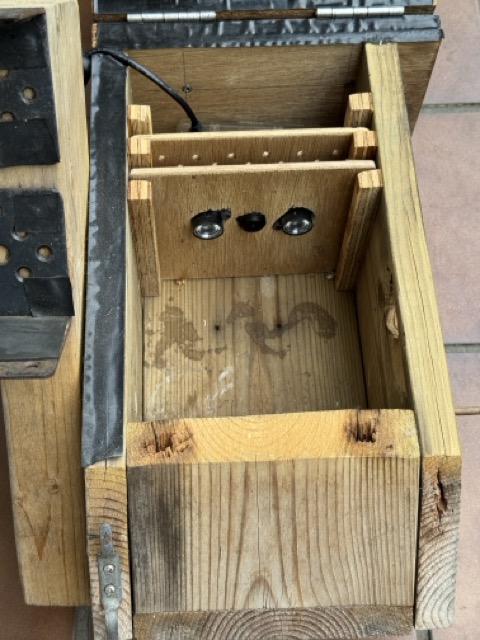
Nest box
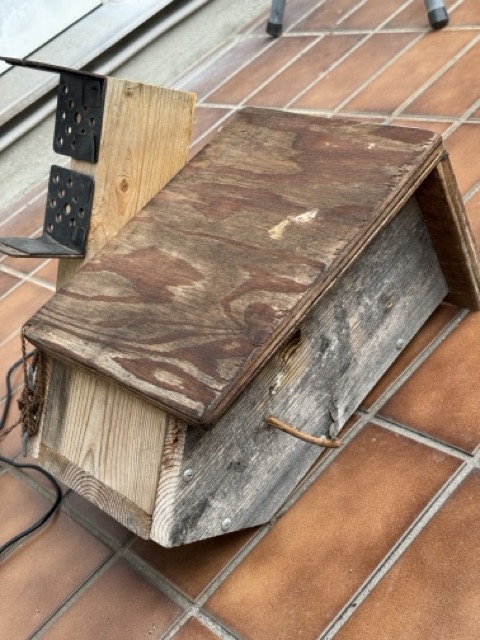
The nest box is hand-built. The entrance hole is 28mm in diameter — the right size for Japanese tits but supposedly too small for sparrows (although they did invade our box in 2025). It’s mounted under the roof of our car port so we don’t need to worry about the box being 100% watertight.
After each nesting season, we remove the old nest material and sterilise the box with boiling water.
Camera
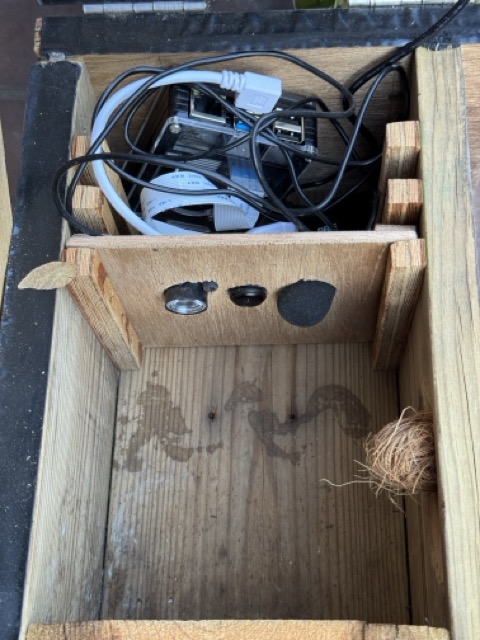
We use a camera module with an OV5647 sensor and no infrared filter, so it can see inside the dark nest box. Maximum resolution is 2592×1944 pixels.
An infrared LED is mounted on one side of the lens, with its own small circuit board that screws onto the camera board. Brightness is adjusted manually with a tiny screw next to the LED. The LED gives off a faint red glow, but birds can’t see it so it doesn’t disturb nesting. On the other side of the camera is a small USB microphone (lavalier mic). The birds don’t seem to mind these objects in their nest, and will sometimes peck them to show who’s the boss!
Raspberry Pi
We use a Raspberry Pi 4 Model B (8GB RAM, ARM 64-bit).
The operating system is Raspberry Pi OS Lite “Trixie” (released December 2025, based on Debian 13). It’s the lightweight version with no desktop environment.
Software
Video capture and encoding uses GStreamer (gst-launch-1.0 with libcamerasrc). The stream is sent via RTMP to MediaMTX, which re-serves it as an RTSP stream on the local network. We chose this setup so we can watch the stream on the local network and stream to YouTube at the same time, with relatively low overhead. One of the priorities is keeping the temperature low!
The colour mode is slightly desaturated because the infrared LEDs create a bright purple image, even on their lowest brightness.
A snapshot is taken from the RTSP stream every 30 seconds. Later, we use ImageMagick to compare frames and pick out the ones where something changed — such as a bird entering or leaving the box.
We considered motion detection software such as Motion, but it doesn’t work well with the current OS (Trixie) so we don’t use it.
Streaming
The video stream runs over Wi-Fi on our local home network. We watch it at home.
YouTube receives the video stream but not the audio, to protect our neighbours’ privacy.
Audio
In the current version of the birdbox, one of the two infrared LEDs has been replaced with a USB microphone. Audio is available on the local network stream only — it is not sent to YouTube, to protect our neighbours’ privacy.
Power and network
The Raspberry Pi is powered by mains electricity via a long cable running to the car port. Network connection is Wi-Fi.
Previous version
The first version of the birdbox used a Raspberry Pi 3 Model B+. The setup was simpler — video only, no audio, and the stream was only available on our local network (no YouTube).